All projects

Peak Regional
Insurance.

Making commercial insurance easier to navigate.

Visit website

Client website Colorado, USALaunched October 2026

Introduction

A business owner may know the risk they need to cover. Or they may just know the work they do. The website gives them a place to start either way.

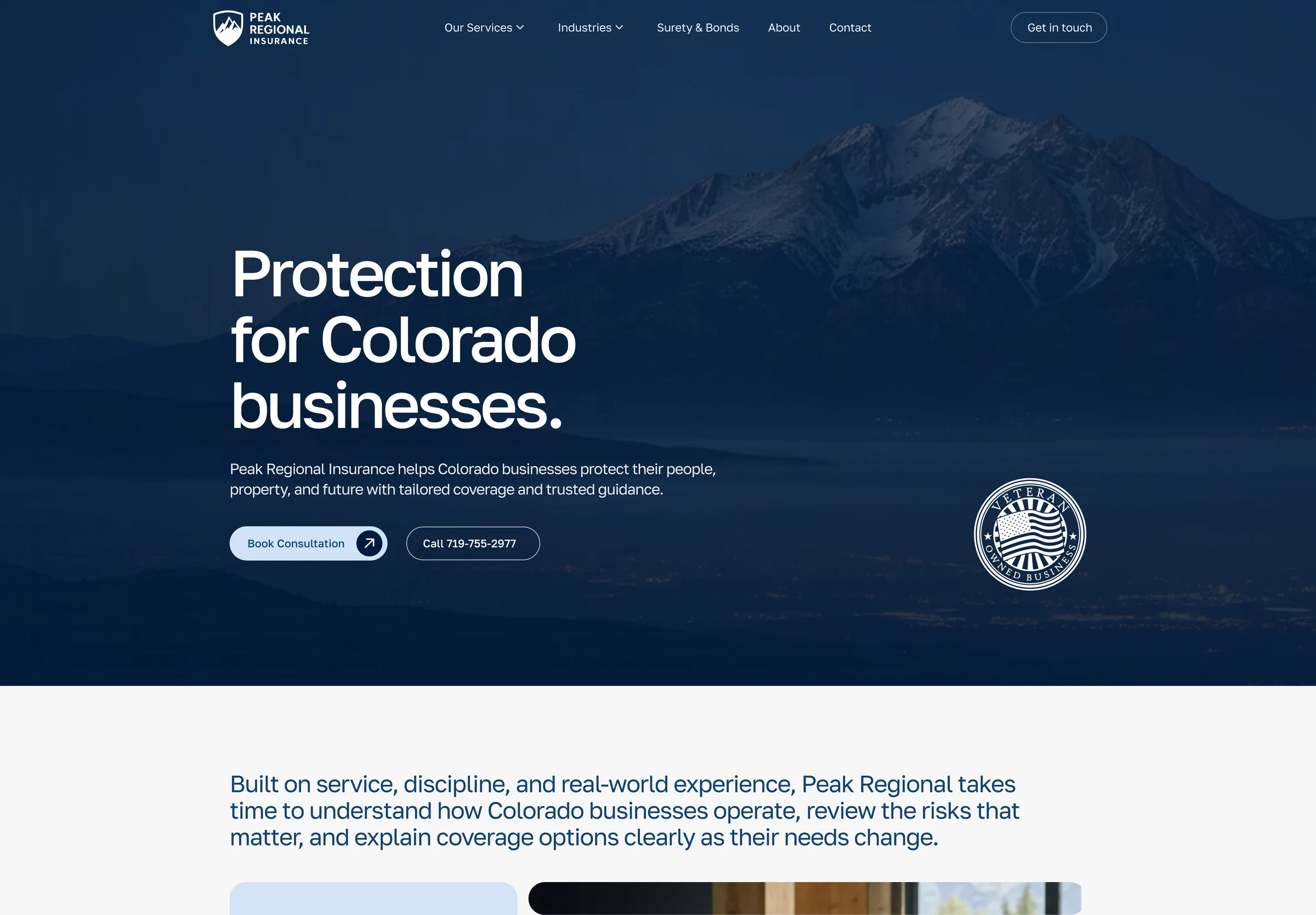
Peak Regional Insurance works with Colorado businesses. WNG handled the website’s design, copy and development, including consultation forms and integrations. We continue to look after the site.
Client
Peak Regional Insurance
Industry
Commercial insurance
Launched
October 2026
Our work
Design · Copywriting · Development
Forms & integrations · Ongoing care
Actual Peak Regional Insurance website displayed in an illustrative laptop mockup.

Find the cover.
Or your industry.

A business owner may be thinking about equipment, staff or a new contract. We gave services and industries their own routes, so visitors could start with what they knew.

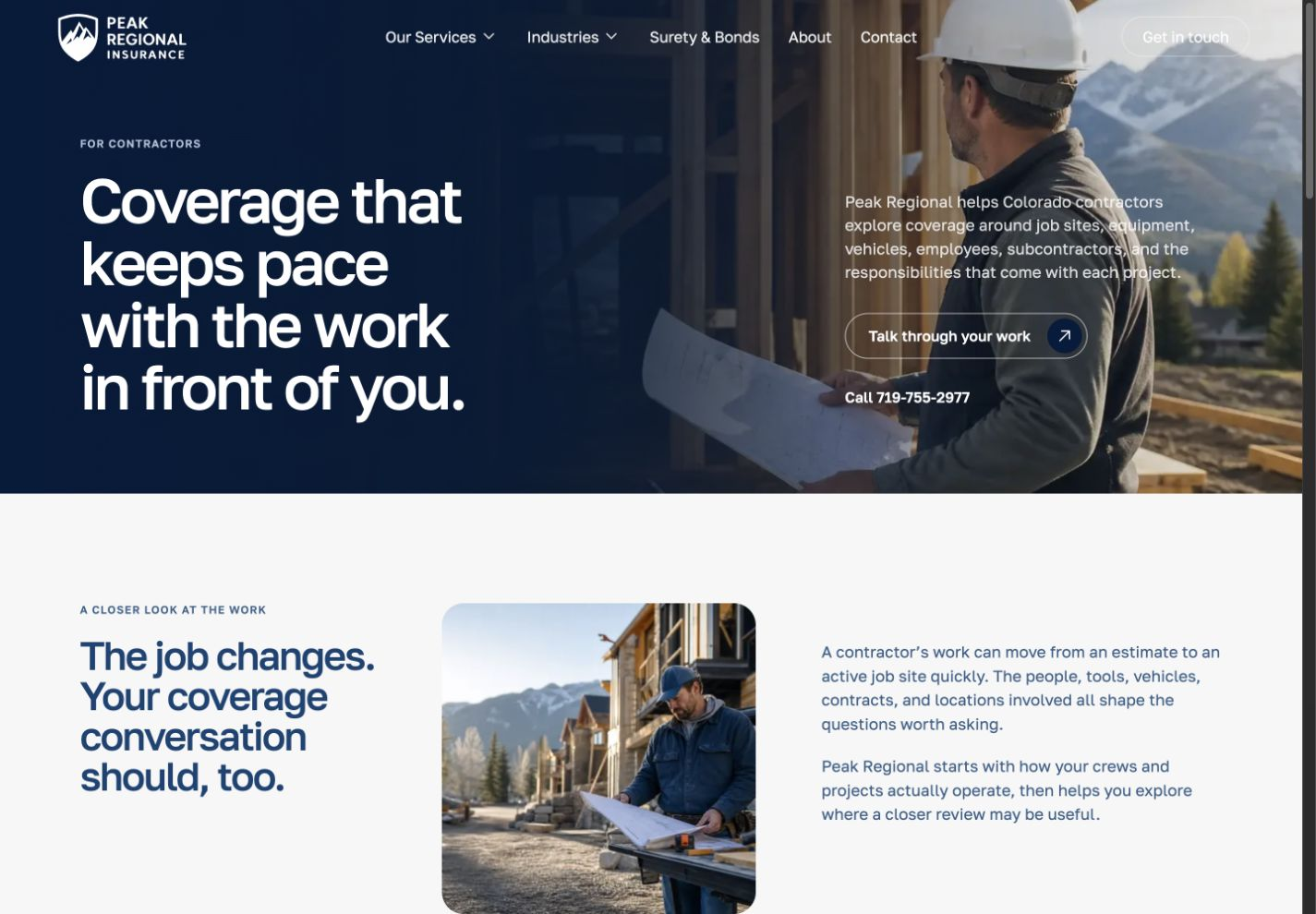
Someone looking for property cover can go straight to that service. A contractor can begin with the questions around job sites, tools, vehicles and crews.

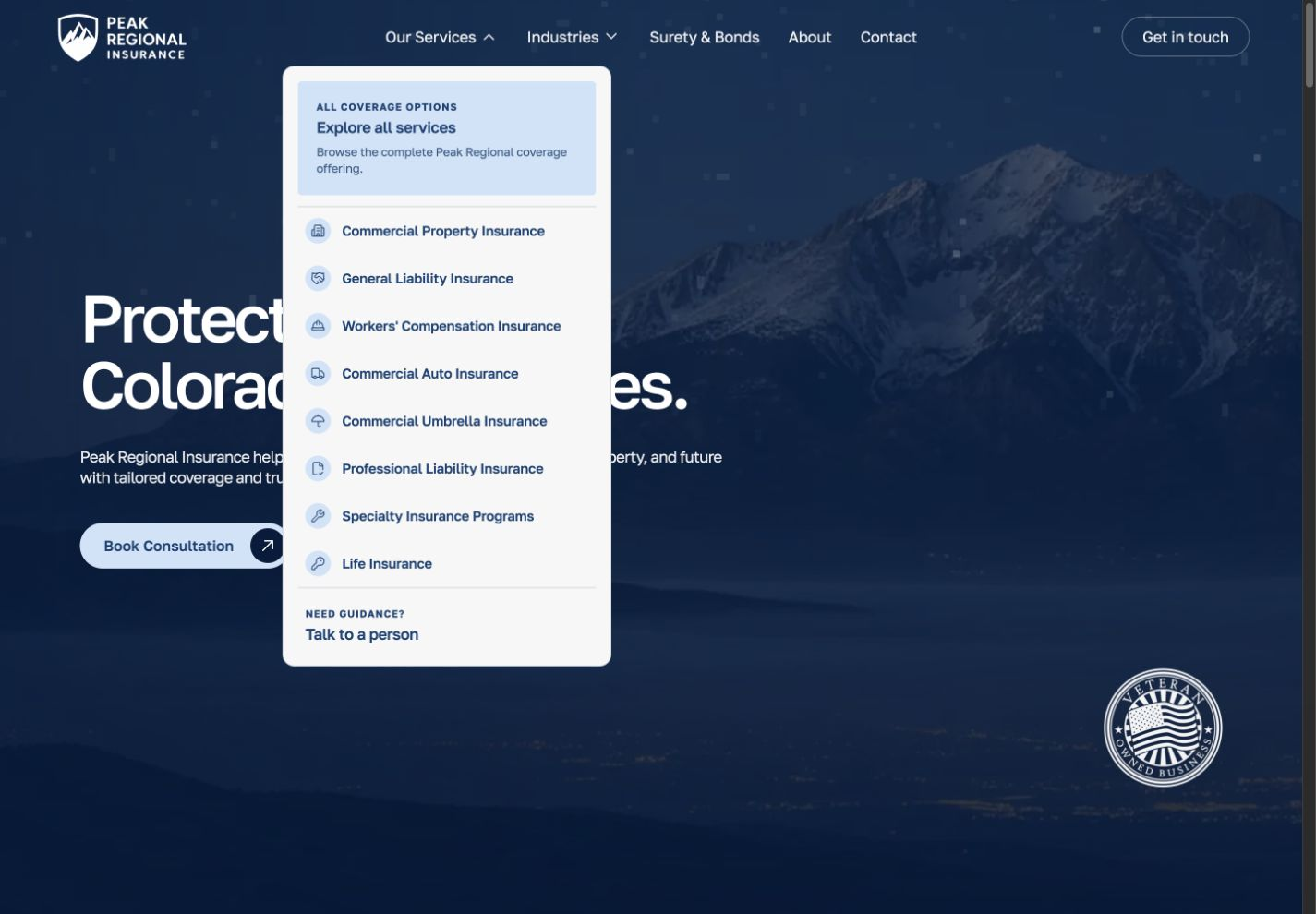
The actual coverage menu, including Commercial Property, General Liability and the contact route.
Coverage options and a route to speak to a person, kept together.

Explain the cover.
Connect it to the work.

Service pages explain what a policy may help protect. Industry pages connect those questions to how the business operates.
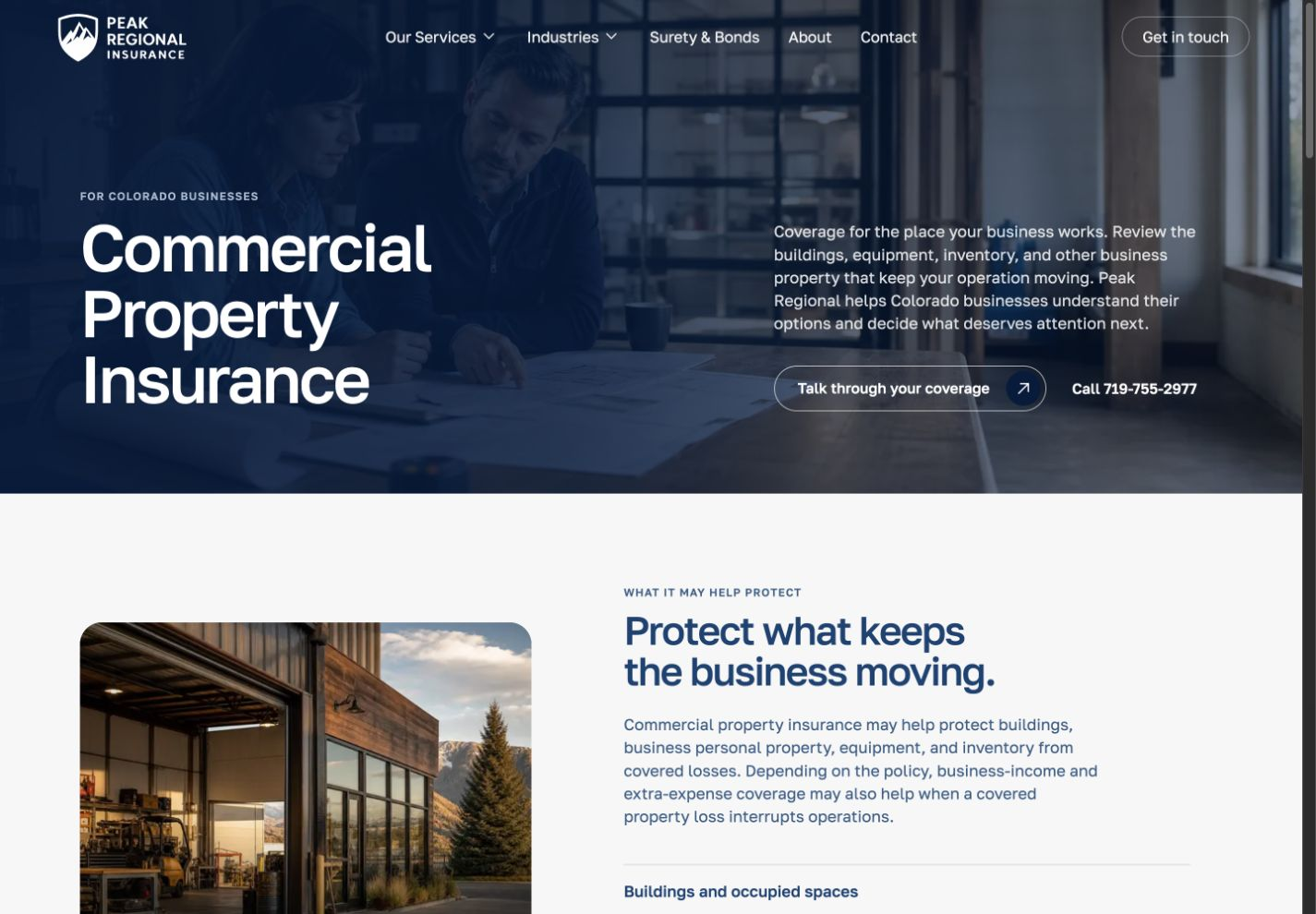
Commercial Property detail explaining the buildings, equipment and inventory a business may want to review.
Commercial Property · an explanation before the enquiry.
Contractors page detail showing the work and the questions that shape a coverage discussion.
Contractors · start with the way the business works.
Actual Peak Regional Insurance website displayed in an illustrative laptop mockup.
The Contractors page in an illustrative laptop scene.

The next step
is a conversation.

We wrote the pages to explain what a business owner might want to review, then kept the consultation route close to that information.

The website introduces the questions. Peak’s team handles the discussion.

Carry the question
into the enquiry.

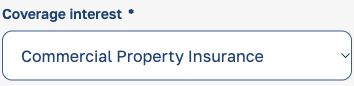
From the Commercial Property page, the consultation link carries that coverage choice into the form. The visitor can add their business details and describe what they would like to discuss.

On the service page
Actual service-page link: Talk through your coverage.
In the consultation form
Actual form field: Coverage interest, Commercial Property Insurance selected.

Live website detail · Commercial Property consultation.

Same information.
Smaller screen.

The mobile layout puts the explanation, consultation link and phone number in reading order. It keeps the information together without squeezing the desktop columns onto a phone.

Here, the Commercial Property page gives the visitor the context before asking them to get in touch.
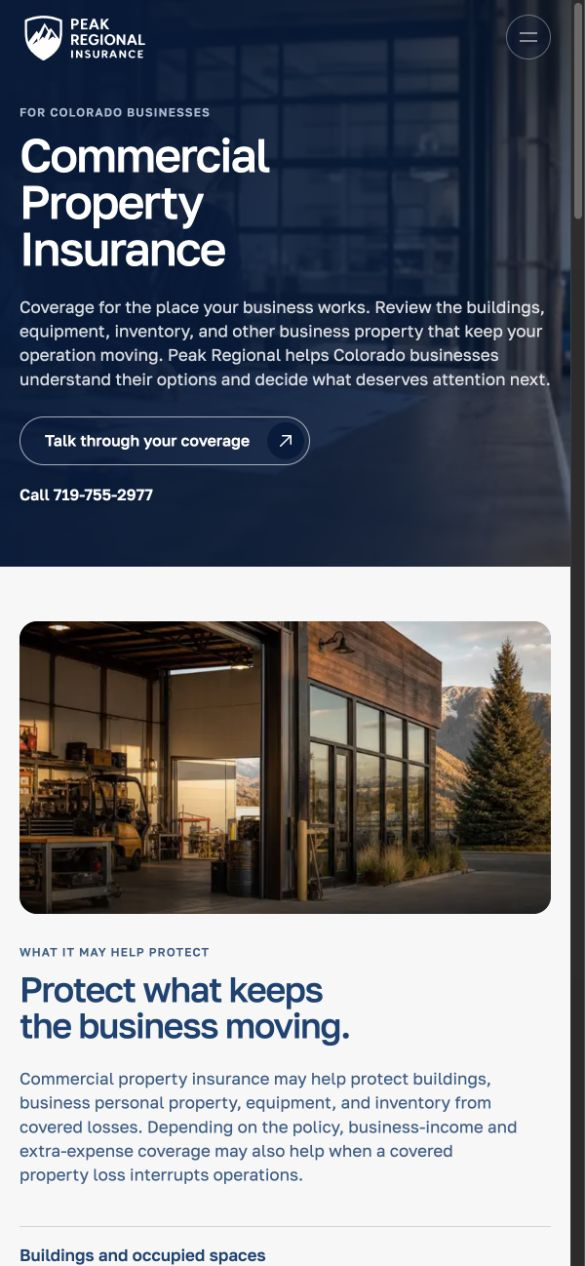
Peak’s Commercial Property page on a phone, with the coverage explanation and contact options.
Commercial Property · mobile layout.

Built, launched.
Still looked after.

The website launched in October 2026. WNG’s work covered the design, copywriting, development, forms and integrations, with ongoing care after launch.

Visit Peak Regional Insurance

What should your
website explain?

Send us your website, or tell us what customers need to understand before they get in touch.

Discuss your website
Next projects.

All projects